✏️ Draft version
This guide will be improved over time.
Send your first API request with Postman.
After this guide, you’ll be able to send a request to any API and read the response.
Purpose
With this knowledge you will be able to start testing your API.
Prerequisites
- Basic understanding of what a request and a response are
- Postman installed
Overview
You’ll learn how to enter an API URL, send a request, and read the response returned by the server.
Steps
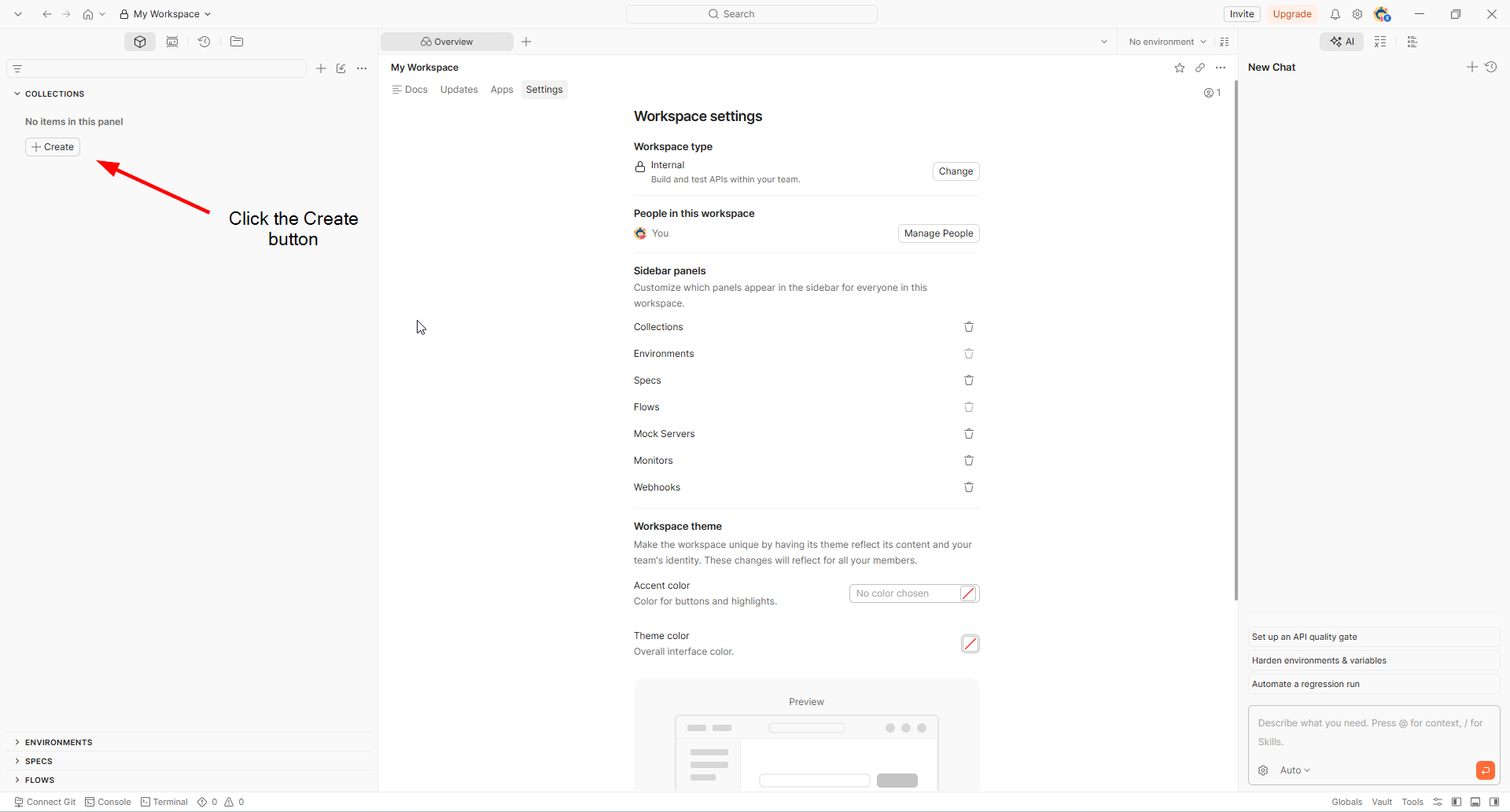
1. Create a new collection
Click on the Create button. Collections help you organize your requests.
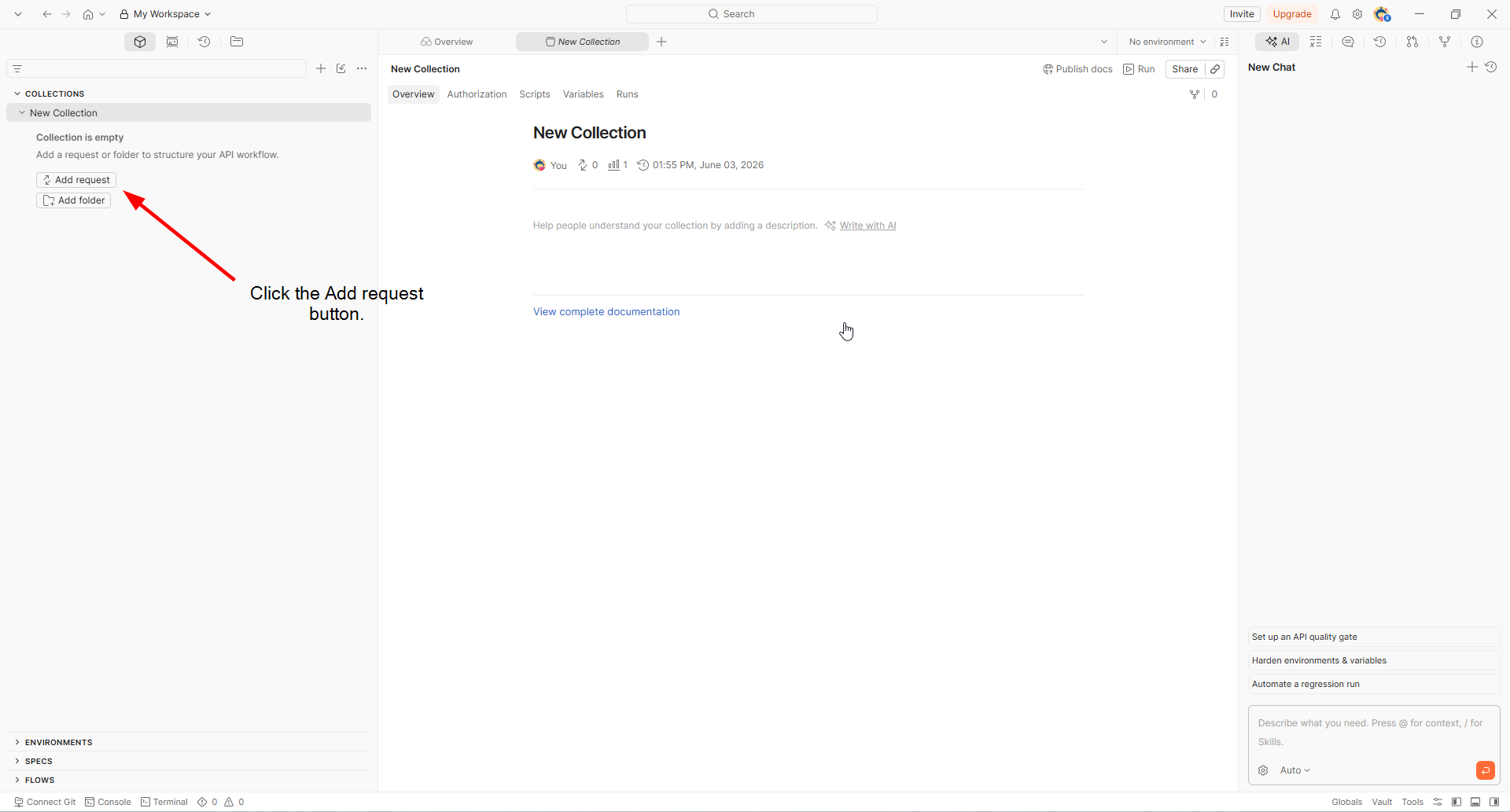
2. Add a new request to the collection
Click on the Add request button.
3. Enter your API URL into the request URL bar
Enter your API URL in the bar. This is the address where your request will be sent.
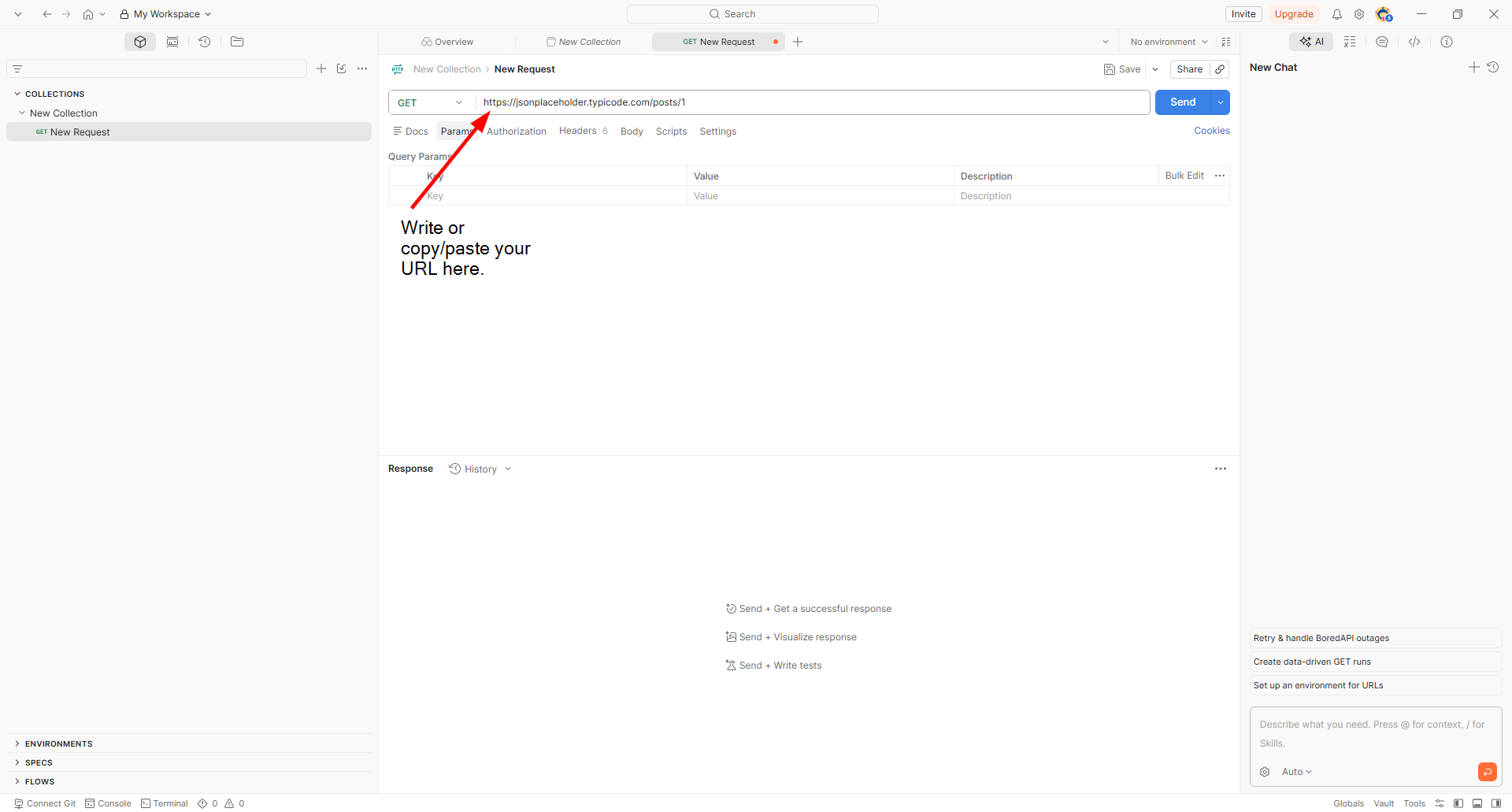
You can use this free API URL : https://jsonplaceholder.typicode.com/posts/1
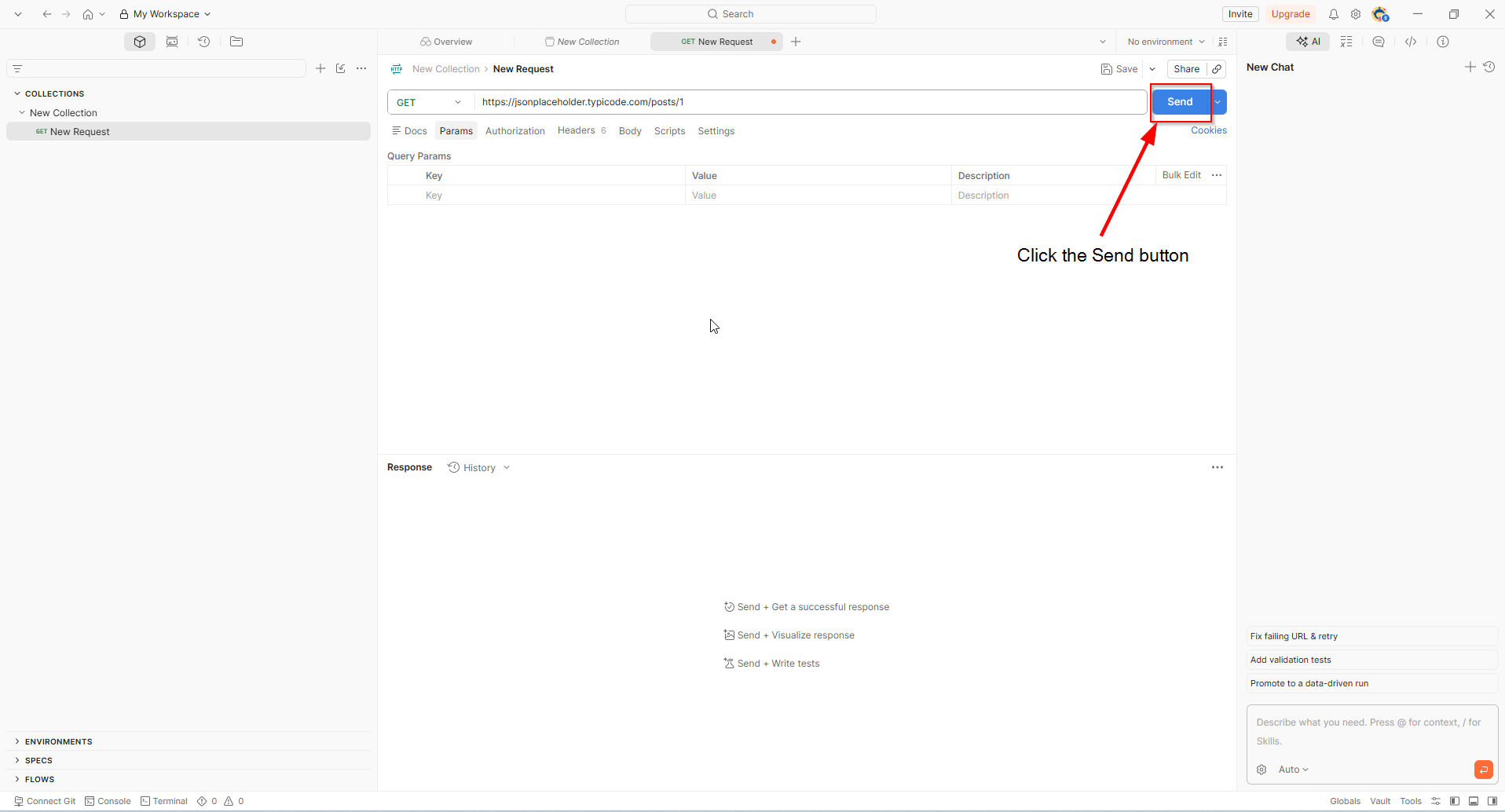
4. Click the send button
Send your request by clicking the send button. Postman will send the request and show the response at the bottom.
Expected Result
You should see a response with a 200 OK status. This means the server understood your request and returned data. 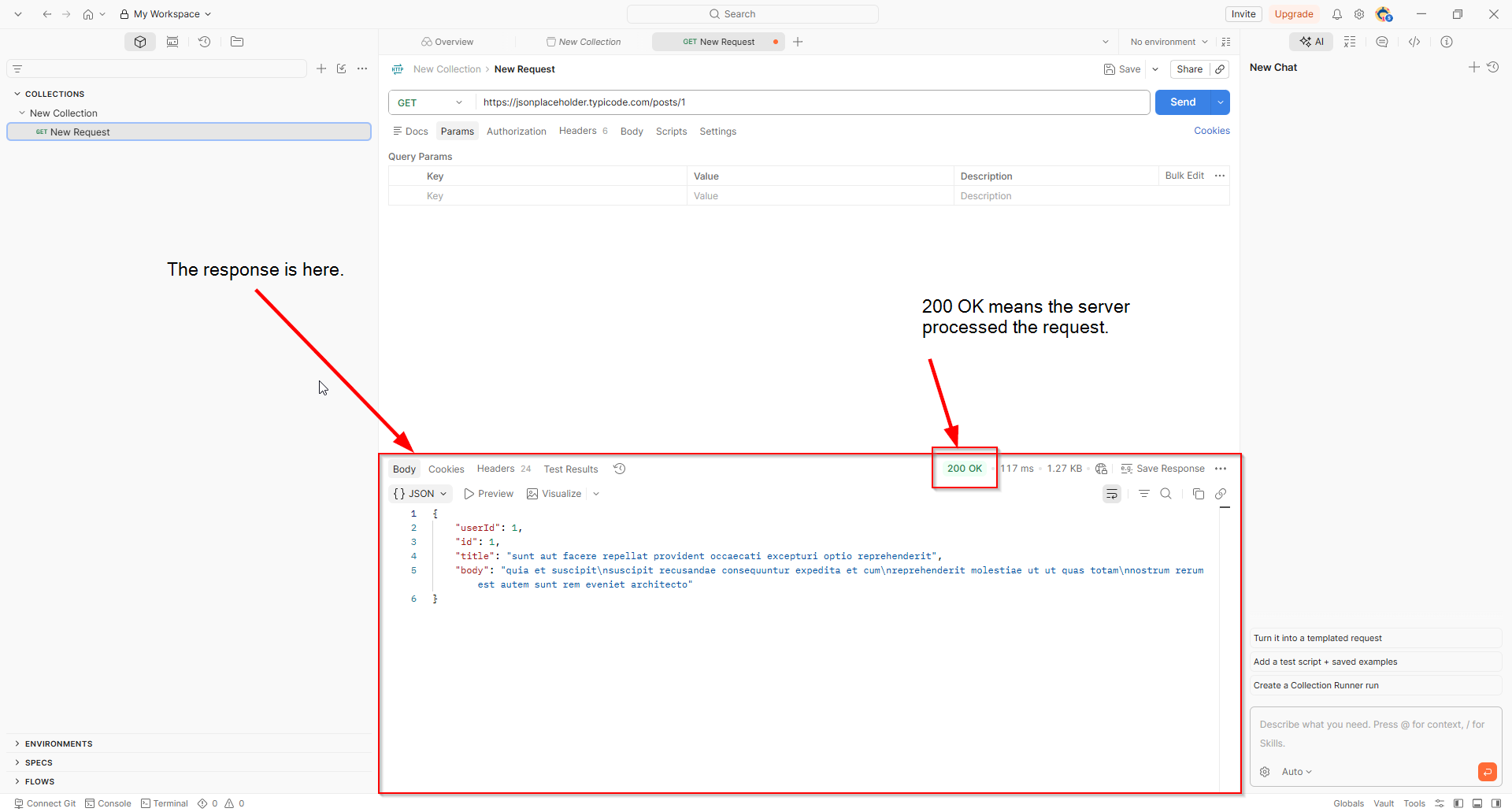
Troubleshooting
Common issues :
-
Error adress not found : There may be a typo in the URL.
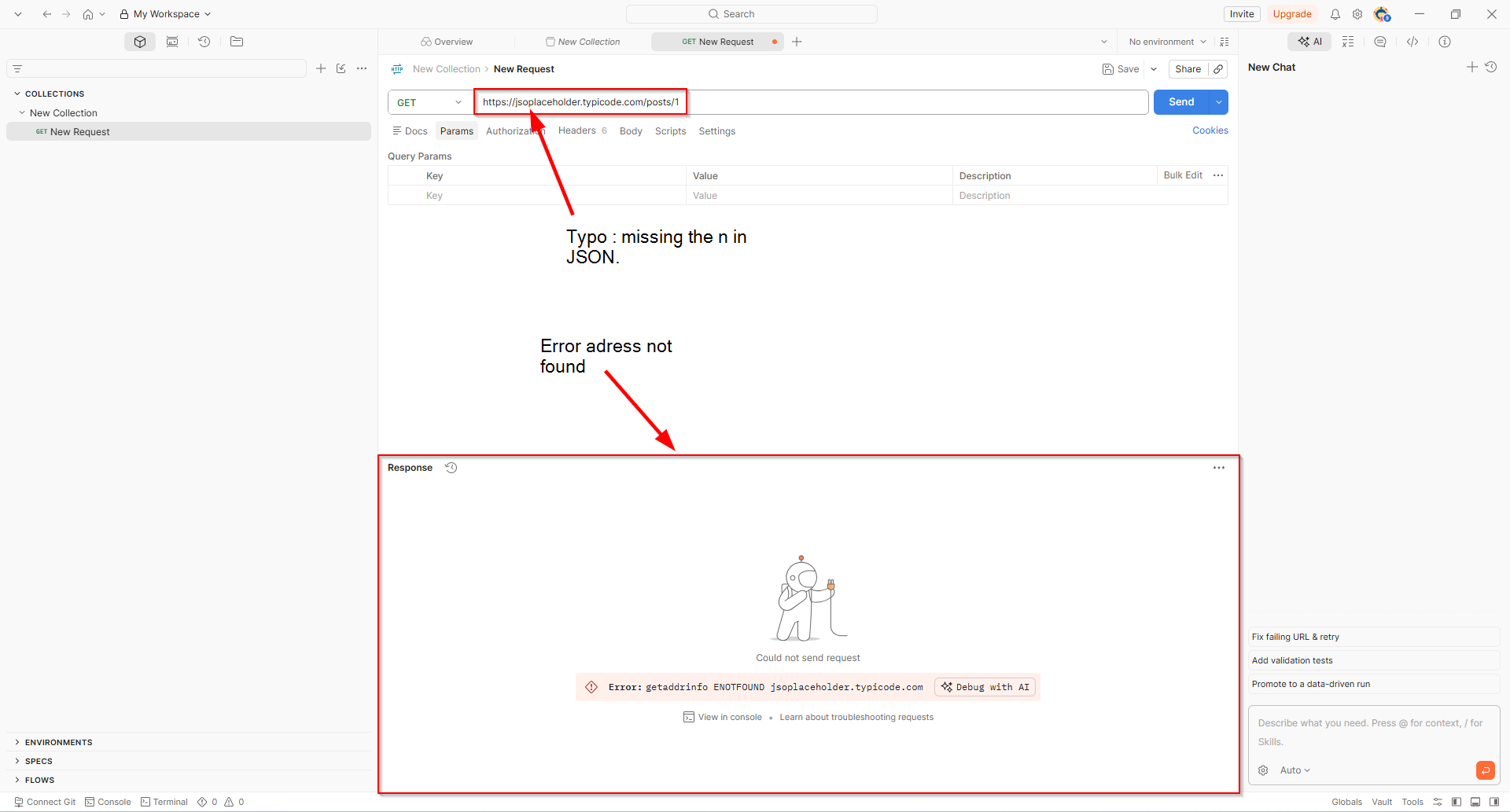
- 404 Not found : The URL or query string may be incorrect.
- 500 Internal Server Error : The API encountered an error while processing your request.
- 400 Bad request : The server is waiting for a request with specific data.
Next Steps
- Send a POST request with Postman. (In writing)
- Authentify to an API with Postman. (In writing)